There are two methods to CourtReseve integration. One is directly through GoTab with their CR account out of our scope, and one is directly integrated with us using the same magic installer we use to install POS integrations. This will be clarified in advance with the PM and Operators and the installer on site or pm will let support know when requesting a server setup.
If they integrate CR with us directly, they cannot use a POS integration with us. It can only be one or the other.
CourtReserve credentials will come from the CR team directly via slack channel (same as Gotab). Creds are simple, API user & pass.
CR is not a POS so there are no tabs to be opened and no RFID cards. It is a 100% QR code only option via the CR phone app. A member has to be approved in the CR system for beverages non-alcohol or alcohol beverages. The balance on the card auto resets everyday so the member only sees a running balance for that day. All charges are added to their membership and billed at the end of the day.
Non-members would need to use standard prepay cards.
BOH workflow video you can send to your client for managing member’s beverage permissions and viewing pours.
TTG Required Settings:
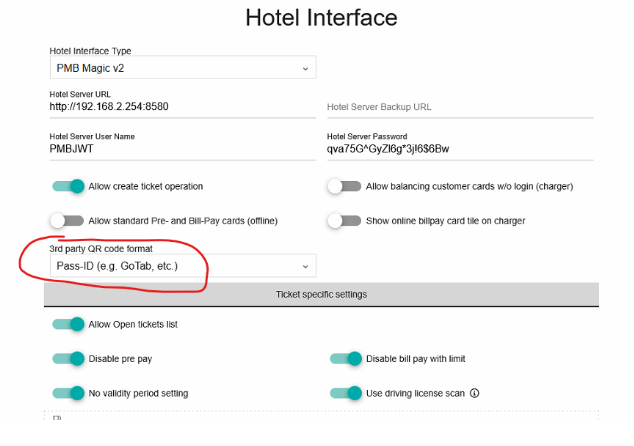
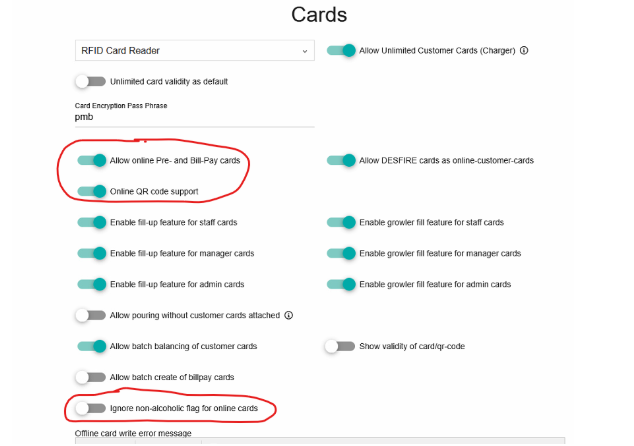
Magic Install:
Credentials will be provided by the CourtReserve team via a shared Slack support channel. Product mapping is not required as CR accepts any beverage details we send.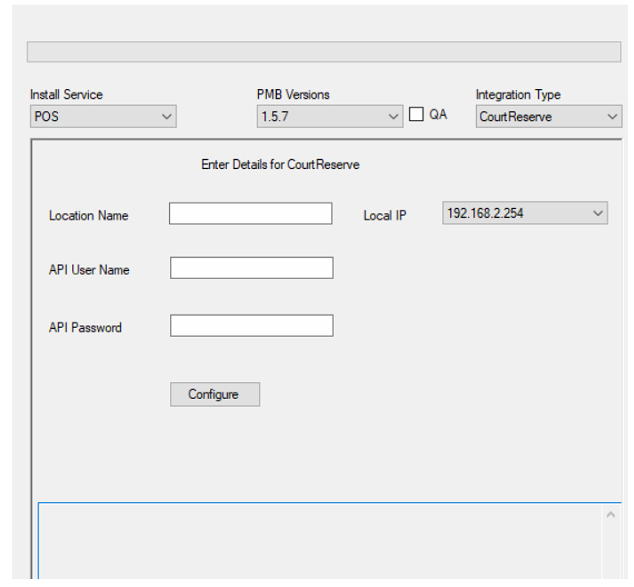
CourtReserve Admin:
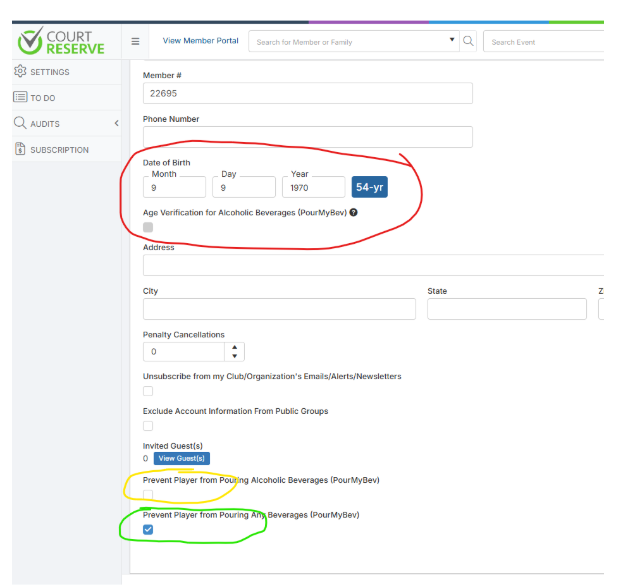
Below shows the CR admin settings where they can approve members for beverage sales and verify age (circled in red) which is required for alcoholic beverages. Non-alcohol beverages can be accessed as long as the Prevent Player from pouring any beverage permission is not selected (circled in green) and the Prevent Player from pouring alcohol is selected (circled in yellow)
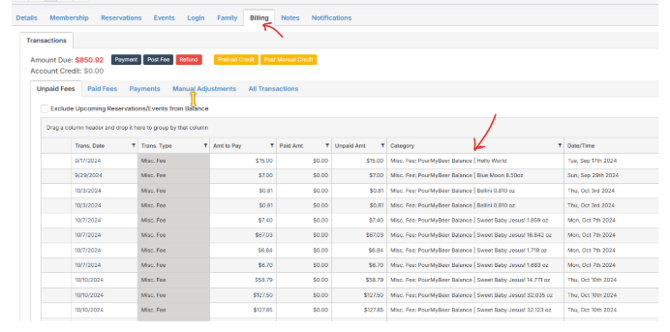
Below is screenshot of the CR admin where they can check beverage transactions under a member’s account:
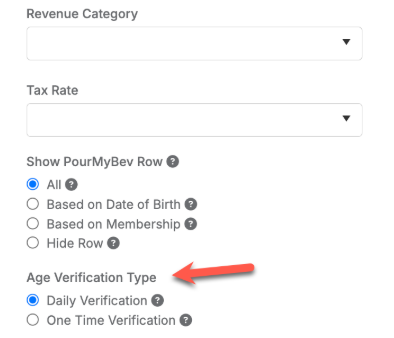
Configure if you want the age verification to reset daily or not. We recommend one time verification for the best member experience.