The billing portal is a convenient, secure place to view and manage your PourMyBev billing information. Through the portal, you can access invoices, review payment history, update payment methods, and manage your billing details all in one place.
All new accounts do need to be made by our support team. If you need a new contact added, please reach out to us at support@pourmybeer.com and let us know the contact info as well as the business name!
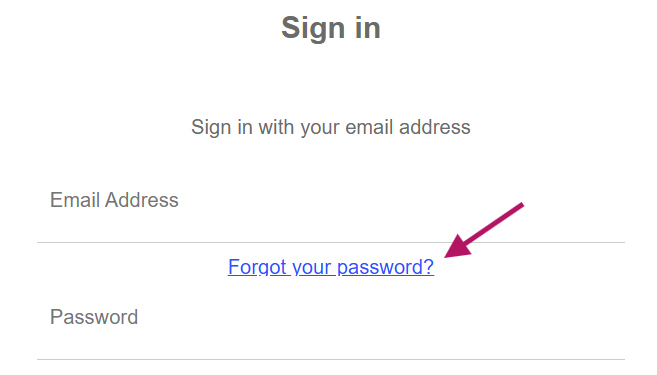
If you happen to forget your password, you can use the link above and hit "forgot password" as shown here and you'll receive an email shortly! Please note that this email will say it's from "Microsoft on behalf of tn-pmb-prod", don't worry that is us! You may also need to check your spam folder for this email.
Once you are signed in:
You will be greeted with a screen similar to this one (but with your info)
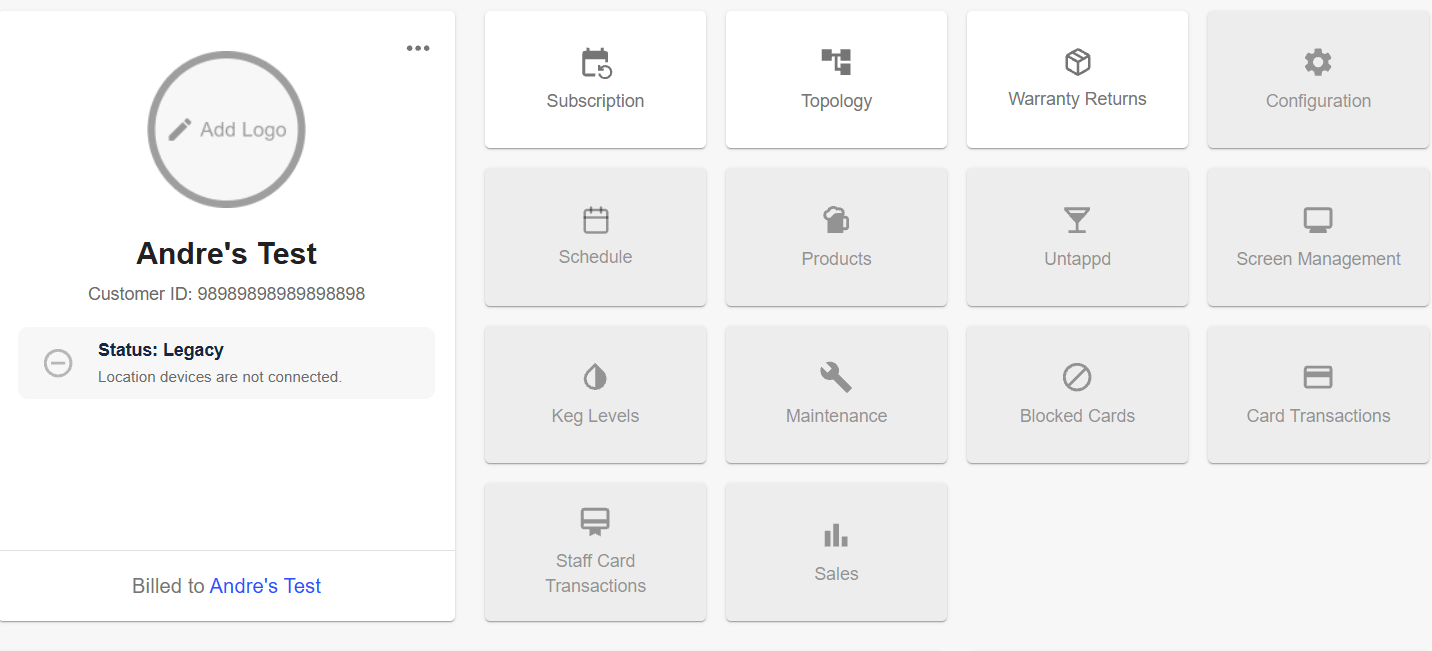
From here, you can see a breakdown of the fees for your support subscription under "subscription". This will show you any info on if you are being billed for a POS integration, any discount you may have etc. This is also where you can update your payment information!
The "topology" page will list all of the PMB devices that you have and "warranty returns" will show you any pending/past warranty equipment. The "warranty returns" tab is important as well to check any dates that equipment needs to be returned by, and any non-return fees that may have incurred.